Explore week: build buddy app
There are three products I absolutely adore: Arc browser, Claude Code, and Wispr Flow.
I switched from Brave to Arc the day a friend showed it to me. Three things stuck with me. First, the branding has personality: it's colorful, and the tabs are vertical instead of horizontal. There's a James Dyson quote I've always liked about being different for the sake of being different, and Arc is one of the few products I use that actually feels built that way. Second, Spaces let me create separate browser areas in different colors so I could keep contexts apart. Third, when I'm watching a YouTube video and need to do something else at the same time, Arc floats the video in a small window on top of everything, so I don't lose it.
Claude Code nails the game-design side of product. It's fun, cheeky, and playful, and it makes coding alone at night less lonely and less stressful.
Wispr Flow I don't use much, only occasionally and with intention. But I'm absolutely blown away by how simple the idea is and how well it works. It takes restraint to keep a product this simple.
I'm an engineer and a product person, and there's a bigger question I've been wrestling with for a while: how do you build a great product? So I took a vacation to try to answer it. To make it concrete, I narrowed it down to "how can I build a great product to solve a personal problem?" After all, a product only exists to solve a problem.
The problem
It's getting hard to focus with all the distractions. Like, if I'm working on a feature to use Opus 4.7 in the Buddy app, I'll need to do a quick research pass through the Claude docs to see what changed. If I feel like I'm not understanding something, I jump to Claude to do a web search, which leads me to another hyperlink. Sometimes I'm waiting for Codex to finish and have a couple of minutes I don't know what to do with. My mind starts wandering, and the next thing I know I'm on X checking out whatever Anthropic just pumped out. The constant context switching is breaking my flow.
So I built Buddy: a desktop app that's always on top of other apps and acts like a friendly buddy keeping me accountable. When I go to X, Slack (yes, I'm addicted to Slack too), or YouTube, it warns me to bring my attention back to the main task. I can dismiss Buddy's warning, and Buddy comes back to nudge me after waiting for a bit longer, so I don't get so annoyed that I quit the app altogether.
Nine days
I started with a laundry list of features. Since I only had 9 days including the weekends, I had to let some go, like voice interaction with a hotkey similar to Wispr Flow. The goal was a product functional enough for me to start using and to hand to a few friends.
I quickly narrowed the stack down to an Electron app on the frontend and Python FastAPI on the backend, communicating over HTTP and WebSocket. I'd never really built an Electron app before, so I knew enough time would go into reading the docs, understanding how Electron works at a high level, and figuring out how to connect it to Python. Another goal for this project was to push the limit of AI coding with Codex CLI. It's 2026, and I figure no one hand-writes code anymore. I use Claude Code exclusively at work and hadn't really used Codex CLI much, so I wanted to know how it felt to use it, especially since I keep hearing good things in the Twitter techverse.
I spent my first two days on research, Linear project planning, and writing a design doc laying out the architecture for both ends. For example, what context Buddy should use to decide if I'm drifting. In this case, the app title and window, system-level info I can grab and check deterministically. For more ambiguous cases, Buddy uses Claude with a screenshot of the active window. Don't be nervous though. Another design decision was to use SQLite, so all the data stays on your laptop, and you bring your own API key to use the product.
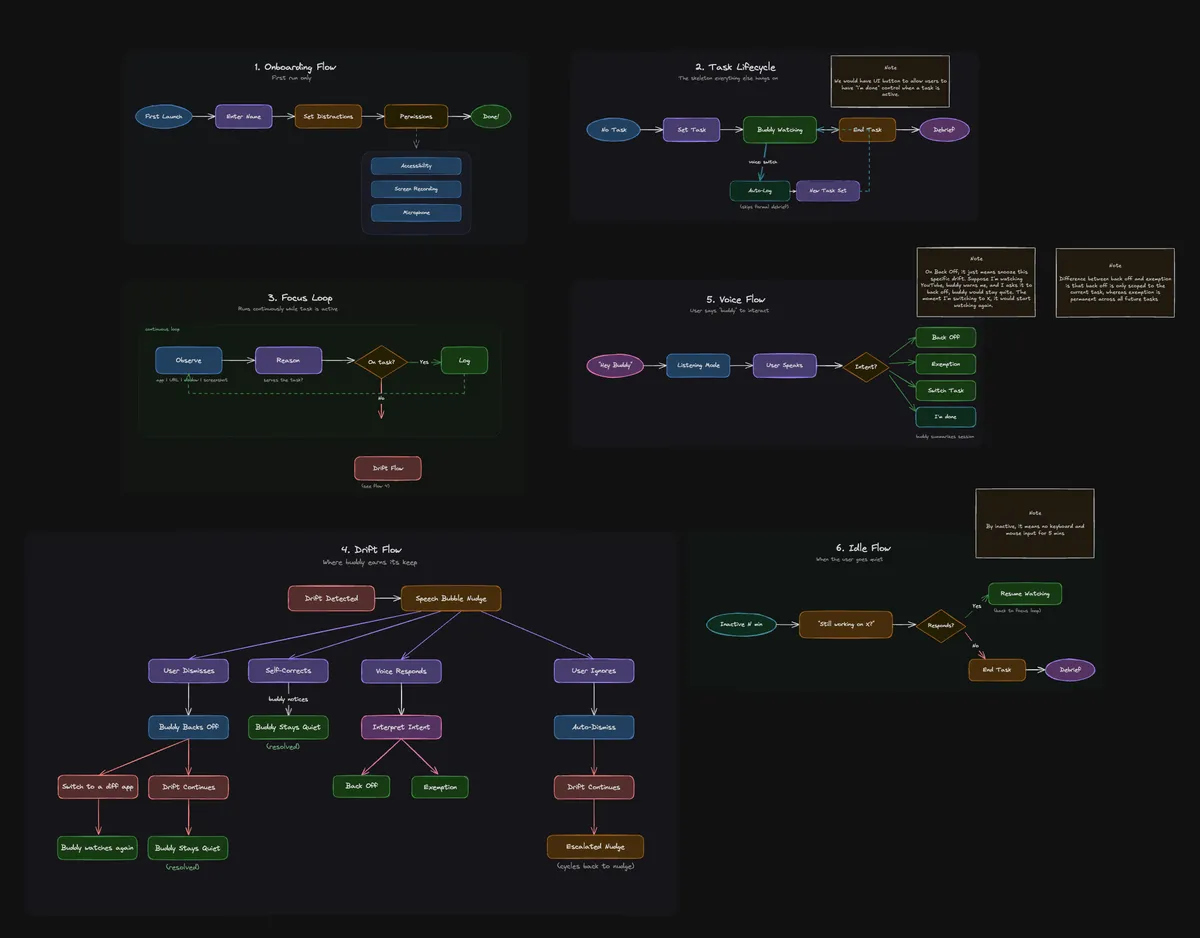
Once I finished the design doc, which also had a section for user flows, I used the Excalidraw MCP to turn each one into a diagram. That made it easy to ask Codex to implement them one by one. The diagram wasn't one-shot, but close enough with minor modifications.
The Buddy character
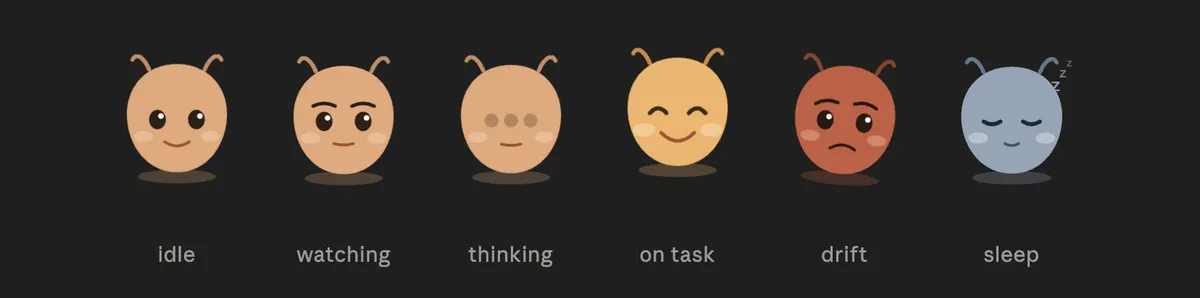
When I started implementing, I had to figure out what Buddy should be like. I asked Claude:
I'm creating an always-on assistant that sits on the desktop. I want it to feel cute and kawaii: soft, round, friendly. Think abstract blob or spirit, flat vector, clean and modern. The character should be cheeky, friendly, and playful...
That gave me six states (idle, watching, thinking, on-task, drift, sleep), each with its own SVG. When Claude confirms I'm on task after a stretch of work, Buddy gives a brief acknowledgement burst before settling back into the calm watching pose.
The rest of my time went into steering Codex through the tickets I'd broken down, checking, and testing.
Onboarding
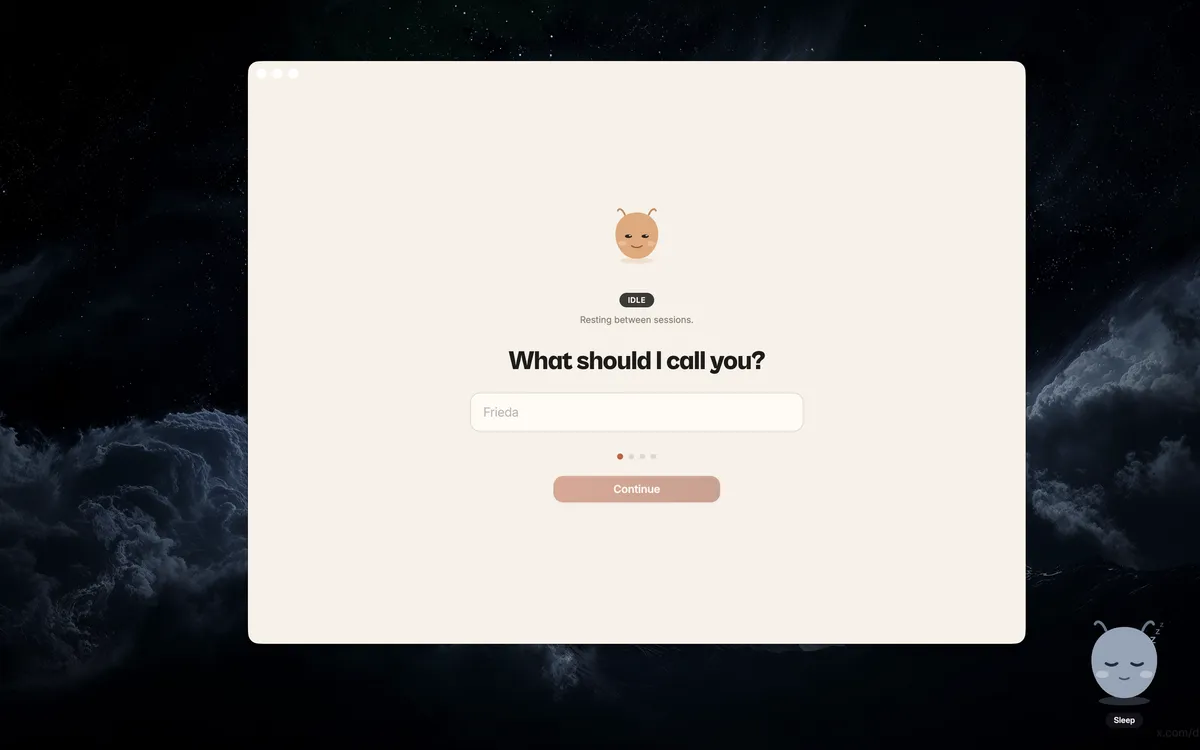
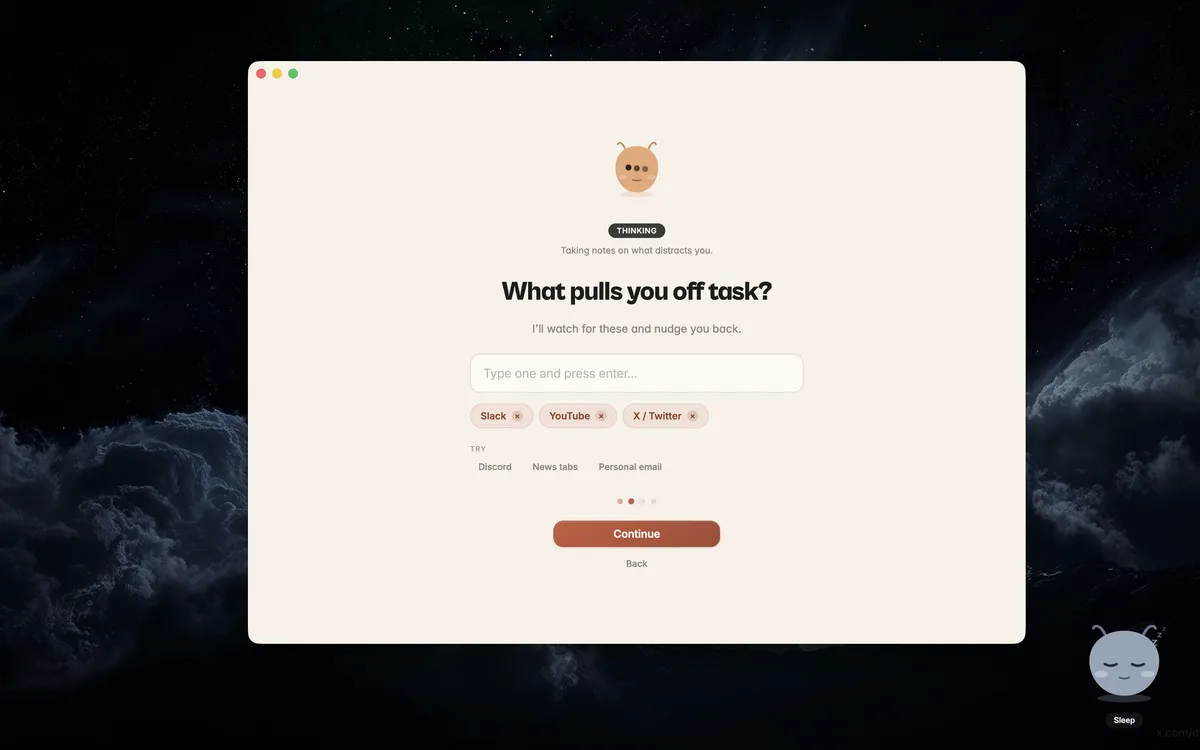
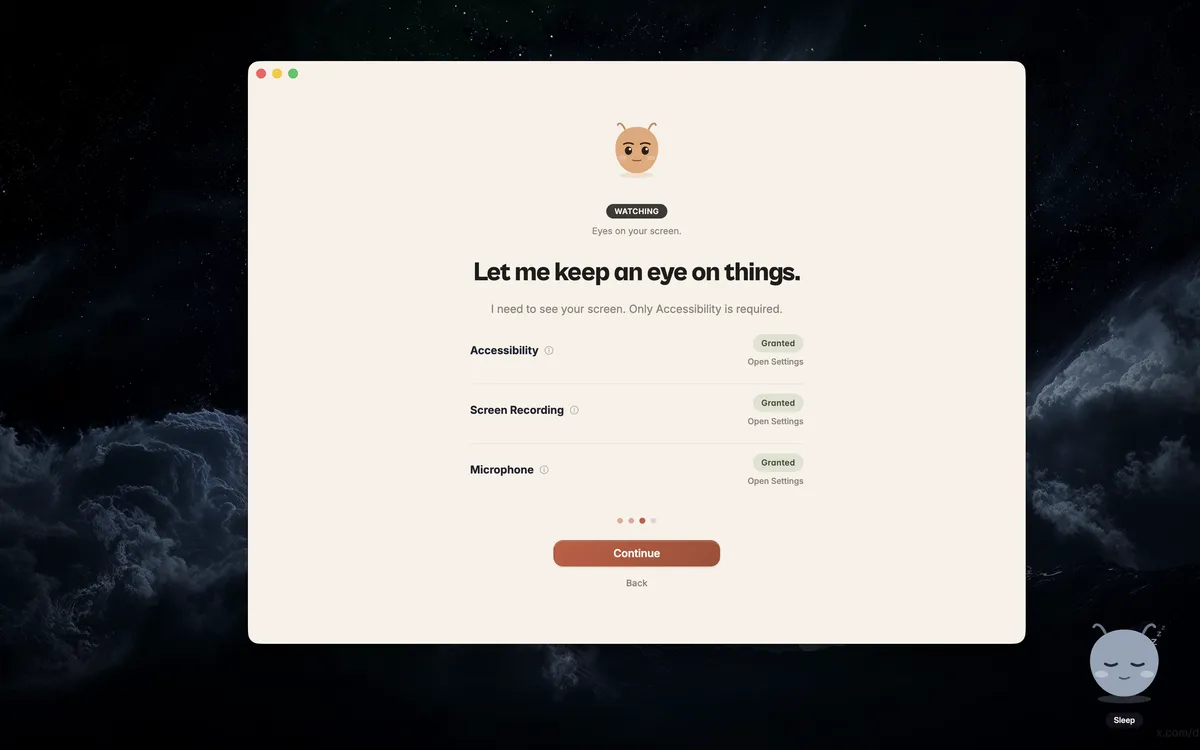
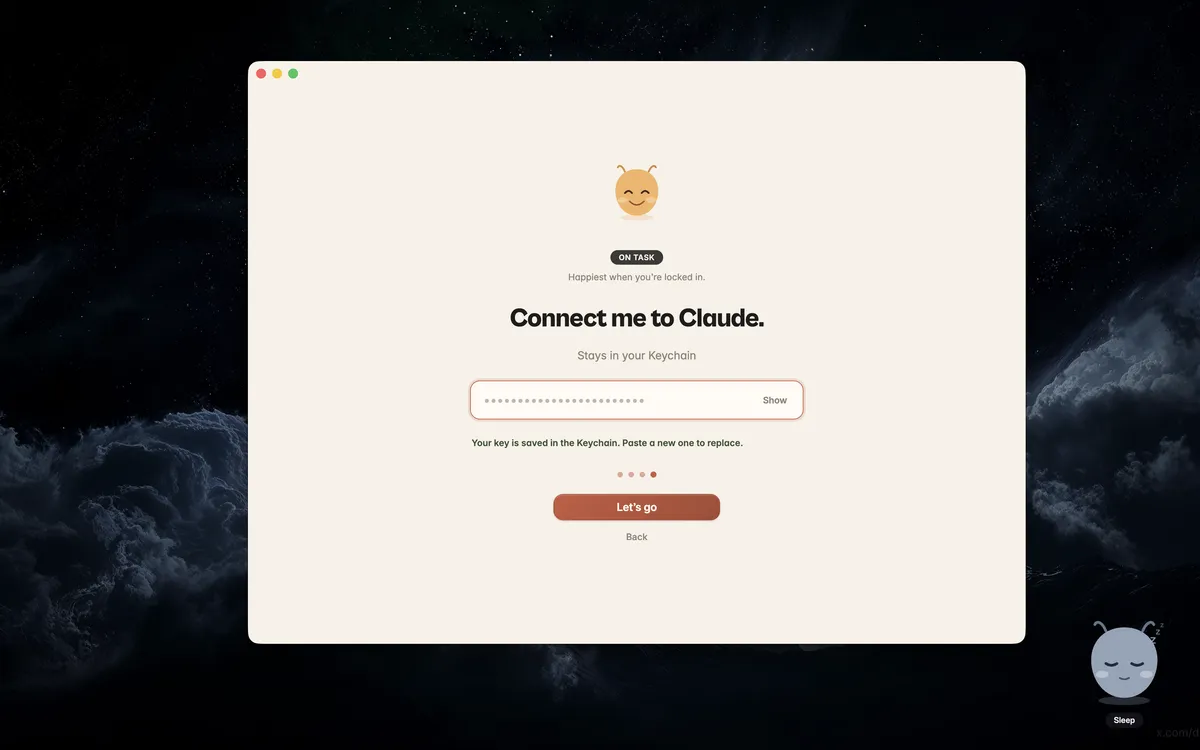
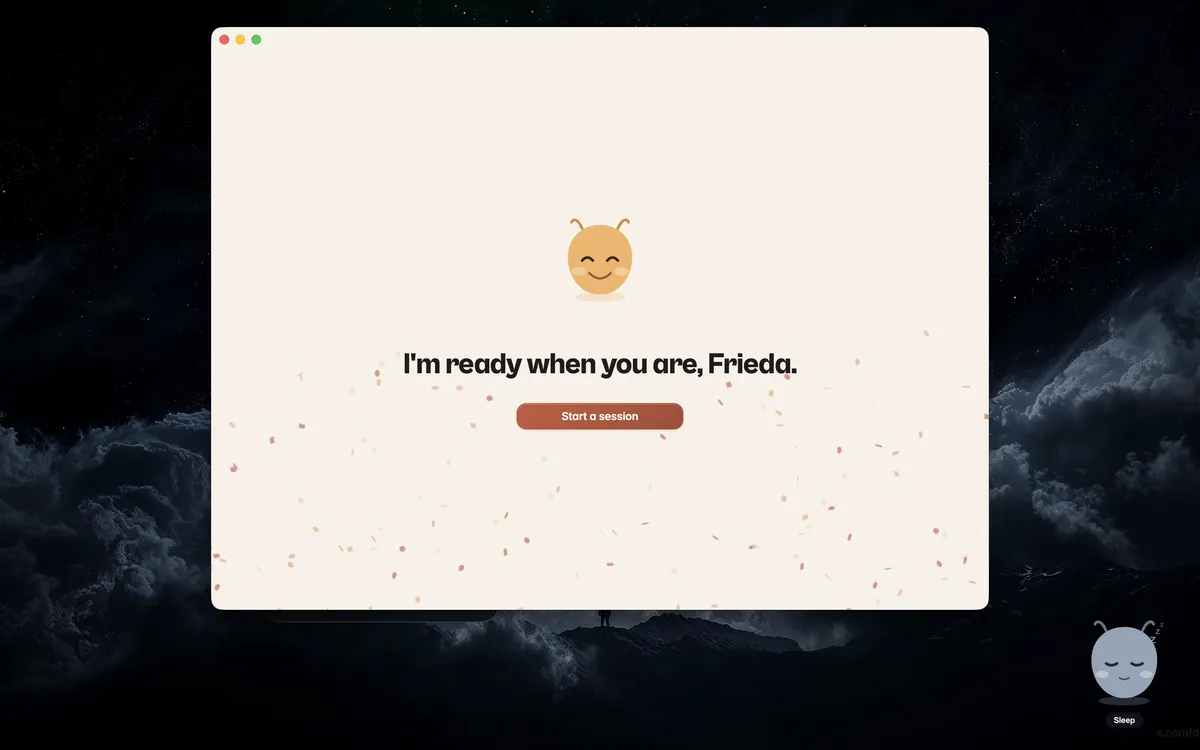
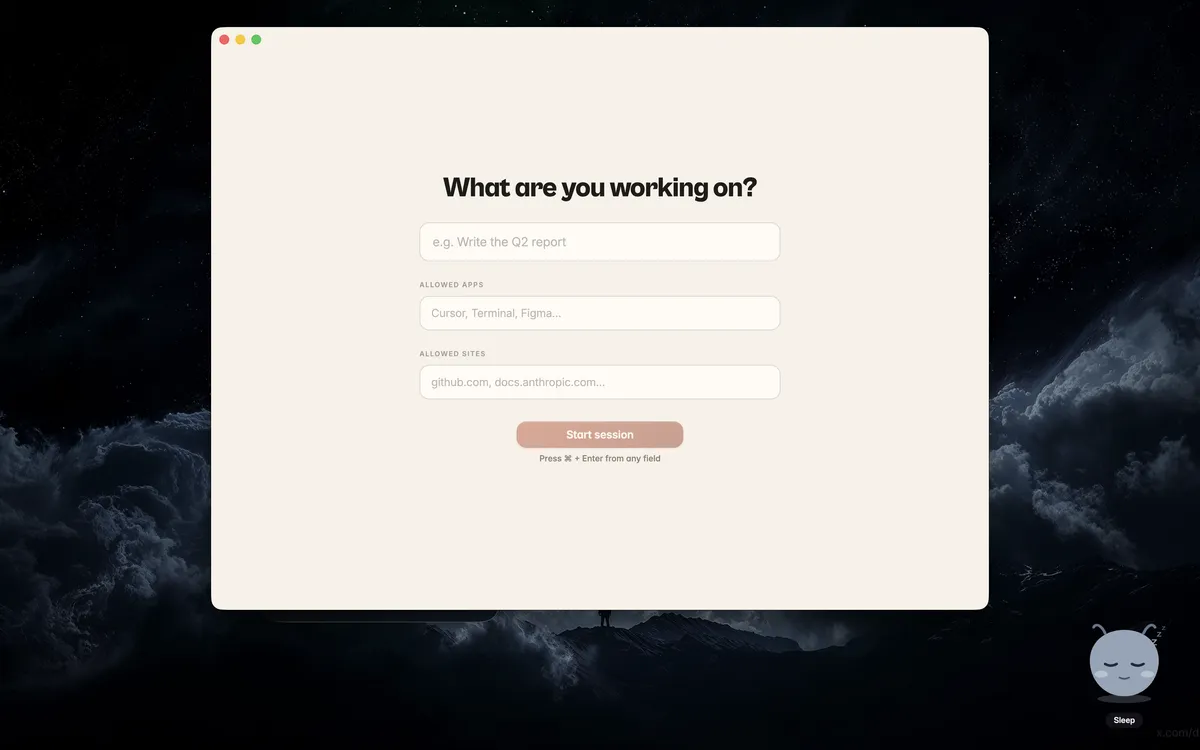
I wanted the first few minutes with Buddy to feel like meeting a companion, not installing surveillance software. So the first screen asks your name. The second asks what usually pulls you off task. Only after that does Buddy ask for permissions, and the API key comes last.
That sequence was deliberate. By the time the macOS permission dialogs show up, you already understand what Buddy is trying to help with. It feels less like a grab for access and more like a tool explaining itself before asking to come along.
Three windows
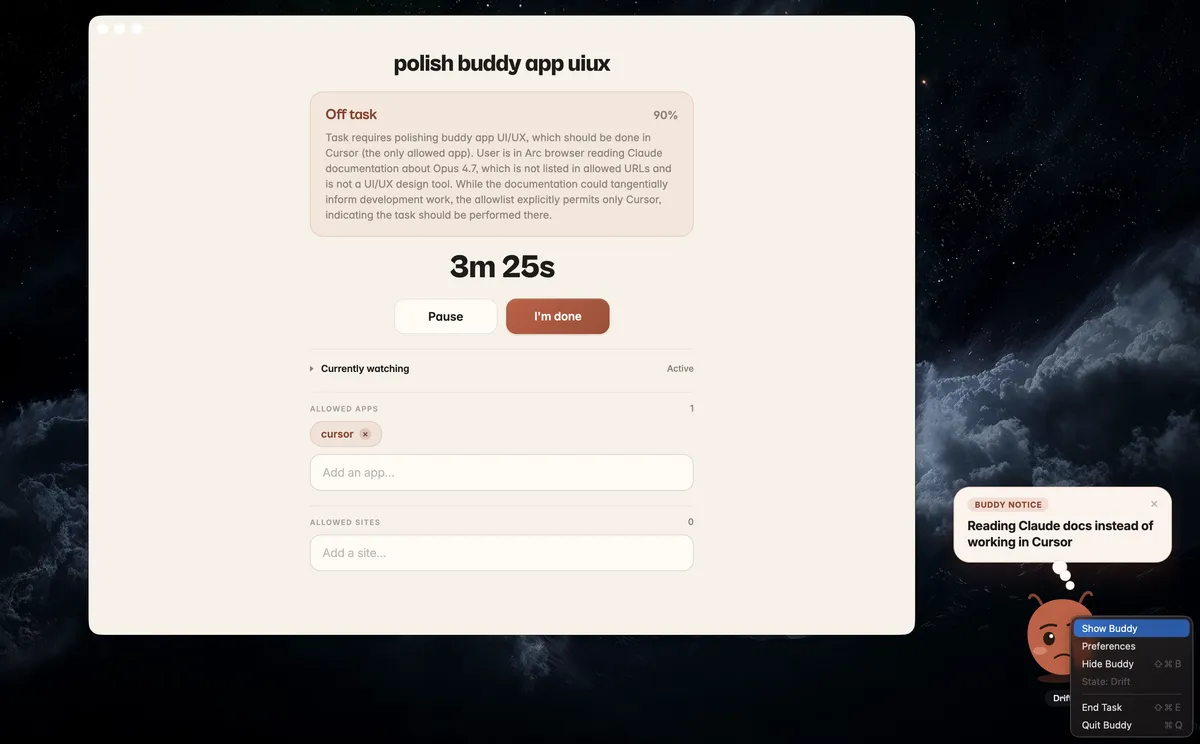
Another design decision was to deliberately have three Electron windows. The main window handles the routine stuff: onboarding, preferences, the post-session summary. The character window is transparent and frameless, sits on top of everything, and is what you actually see most of the time. You can drag it where you want and right-click for the menu. The nudge bubble appears next to Buddy when there's something to say, and goes away when dismissed.
There are also two keyboard shortcuts: Cmd+Shift+B toggles Buddy in and out of view, and Cmd+Shift+E ends the task. Hotkeys exist because anything always-on-top needs a fast way to get out of your way.
End of session
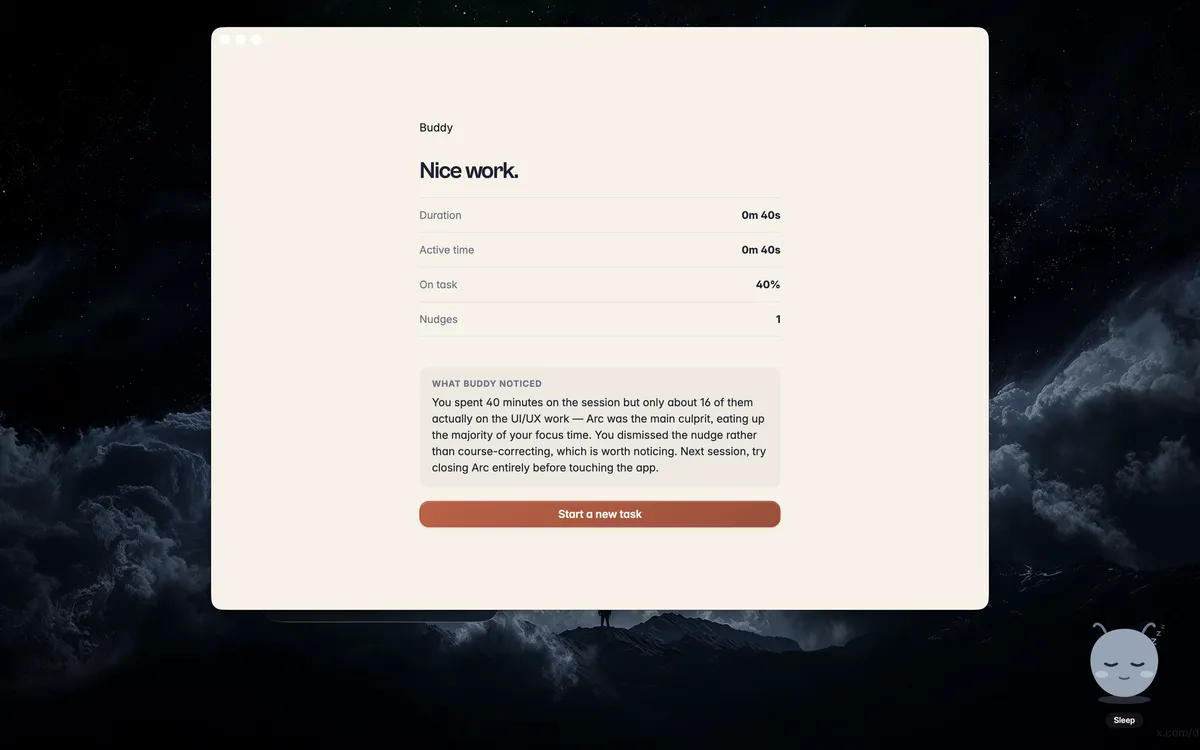
I also didn't want a work session to end with silence. So when you end one, Buddy throws confetti right away and puts the summary in front of you: duration, active time, on-task, nudges. Then, a few seconds later, Claude sends a short reflection on how it went.
Full product flow
What I want to do next
I think voice is the most natural way to interact with a product that is meant to sit beside you while you work. I also probably need more time to build the kind of agentic system that could help maintain Buddy itself.